
PrestaShop debug mode only for your IP address
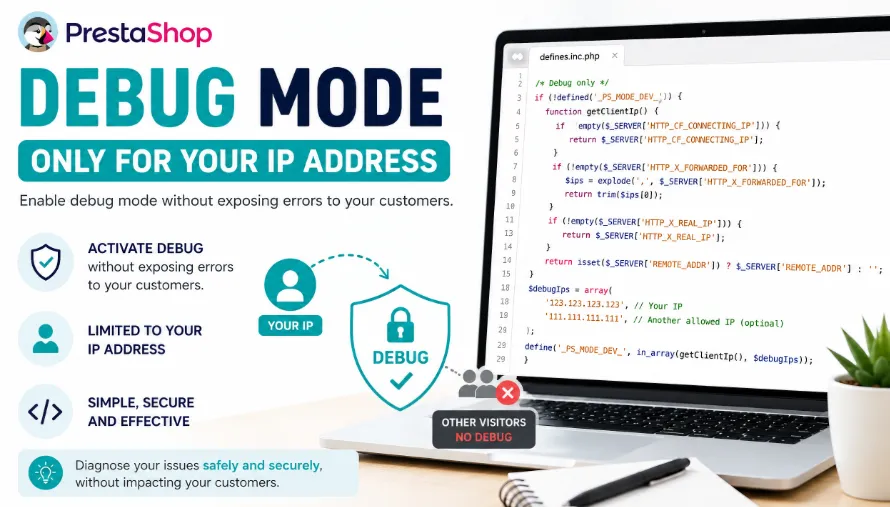
Sometimes you need to enable PrestaShop debug mode to diagnose an issue on a live store. The problem is that enabling debug mode globally may display technical PHP errors to all visitors.
The solution is to enable debug mode only for your own IP address.
Why restrict debug mode to your IP?
On a production store, displaying PHP errors to customers is neither professional nor reassuring. By limiting debug mode to your own IP address, you can investigate the issue without exposing error messages to your visitors.
File to edit
The file to modify is:
/config/defines.inc.phpFind this block:
/* Debug only */
if (!defined('_PS_MODE_DEV_')) {
    define('_PS_MODE_DEV_', false);
}
Replace it with this more robust code:
/* Debug only */
if (!defined('_PS_MODE_DEV_')) {
    function medGetClientIp()
    {
        if (!empty($_SERVER['HTTP_CF_CONNECTING_IP'])) {
            return $_SERVER['HTTP_CF_CONNECTING_IP'];
        }

        if (!empty($_SERVER['HTTP_X_FORWARDED_FOR'])) {
            $ips = explode(',', $_SERVER['HTTP_X_FORWARDED_FOR']);
            return trim($ips[0]);
        }

        if (!empty($_SERVER['HTTP_X_REAL_IP'])) {
            return $_SERVER['HTTP_X_REAL_IP'];
        }

        return isset($_SERVER['REMOTE_ADDR']) ? $_SERVER['REMOTE_ADDR'] : '';
    }

    $debugIps = array(
        'XXX.XXX.XXX.XXX',
    );

    define('_PS_MODE_DEV_', in_array(medGetClientIp(), $debugIps));
}
Replace XXX.XXX.XXX.XXX with your public IP address.
Add multiple IP addresses
$debugIps = array(
    '123.123.123.123',
    '111.111.111.111',
);
Why is this code more reliable?
The $_SERVER['REMOTE_ADDR'] variable is enough for a simple hosting configuration. However, it may not contain your real IP address if your store is behind Cloudflare, a reverse proxy, or some shared hosting configurations.
This code checks several possible sources, including HTTP_CF_CONNECTING_IP, HTTP_X_FORWARDED_FOR, HTTP_X_REAL_IP, and finally REMOTE_ADDR as a fallback.
Be careful on production stores
This method helps you quickly diagnose an issue without exposing errors to your customers. However, it does not replace proper server log analysis.
Remember to disable debug mode once your intervention is complete.

Comments