
Abandoned cart reminders: the module PrestaShop abandoned is back, free and GDPR compliant
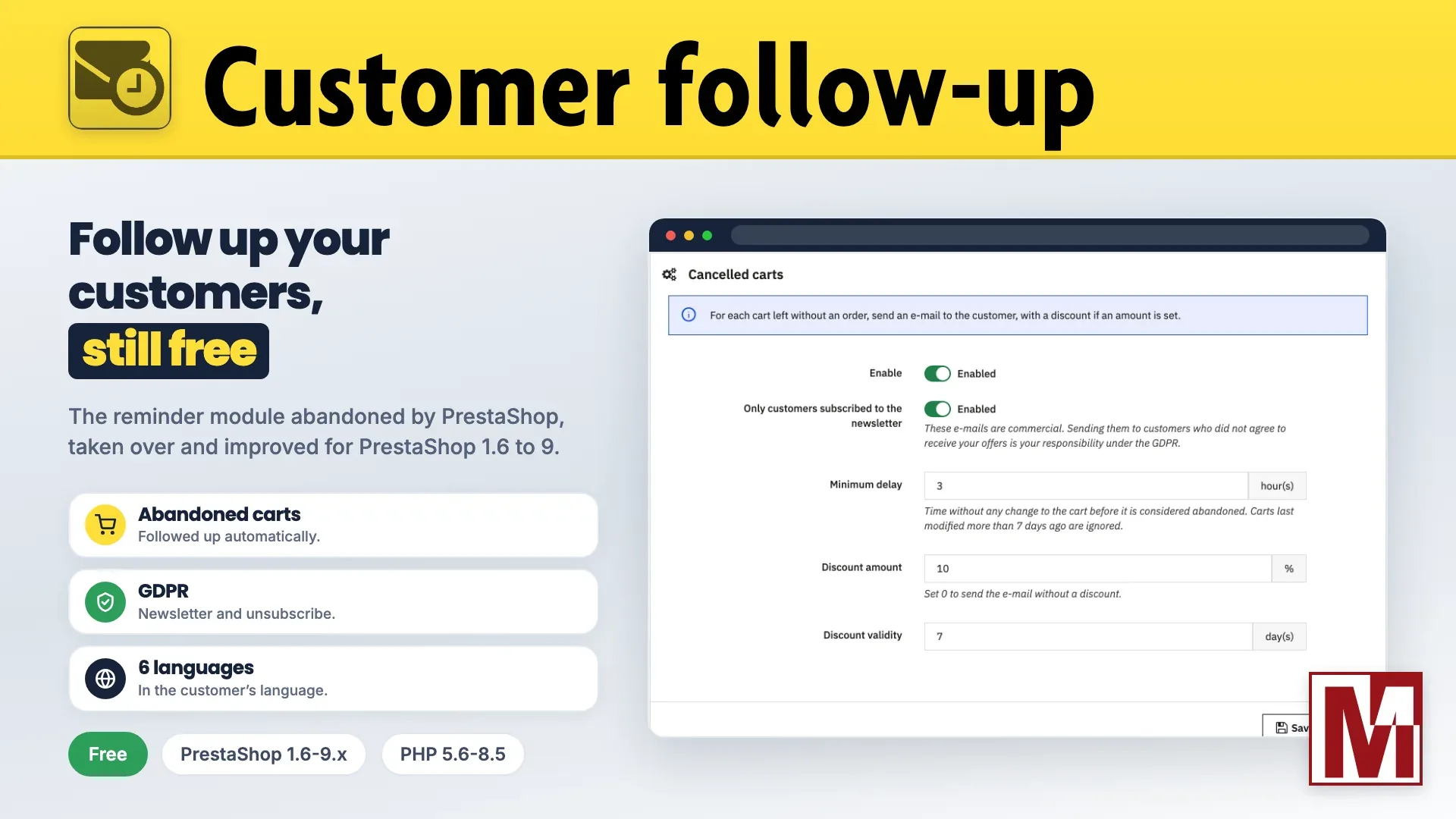
Last March, on the PrestaShop forum, a merchant was looking for the Customer follow-up module for a shop running PrestaShop 9. It could not be found, and for good reason: PrestaShop dropped it a long time ago.
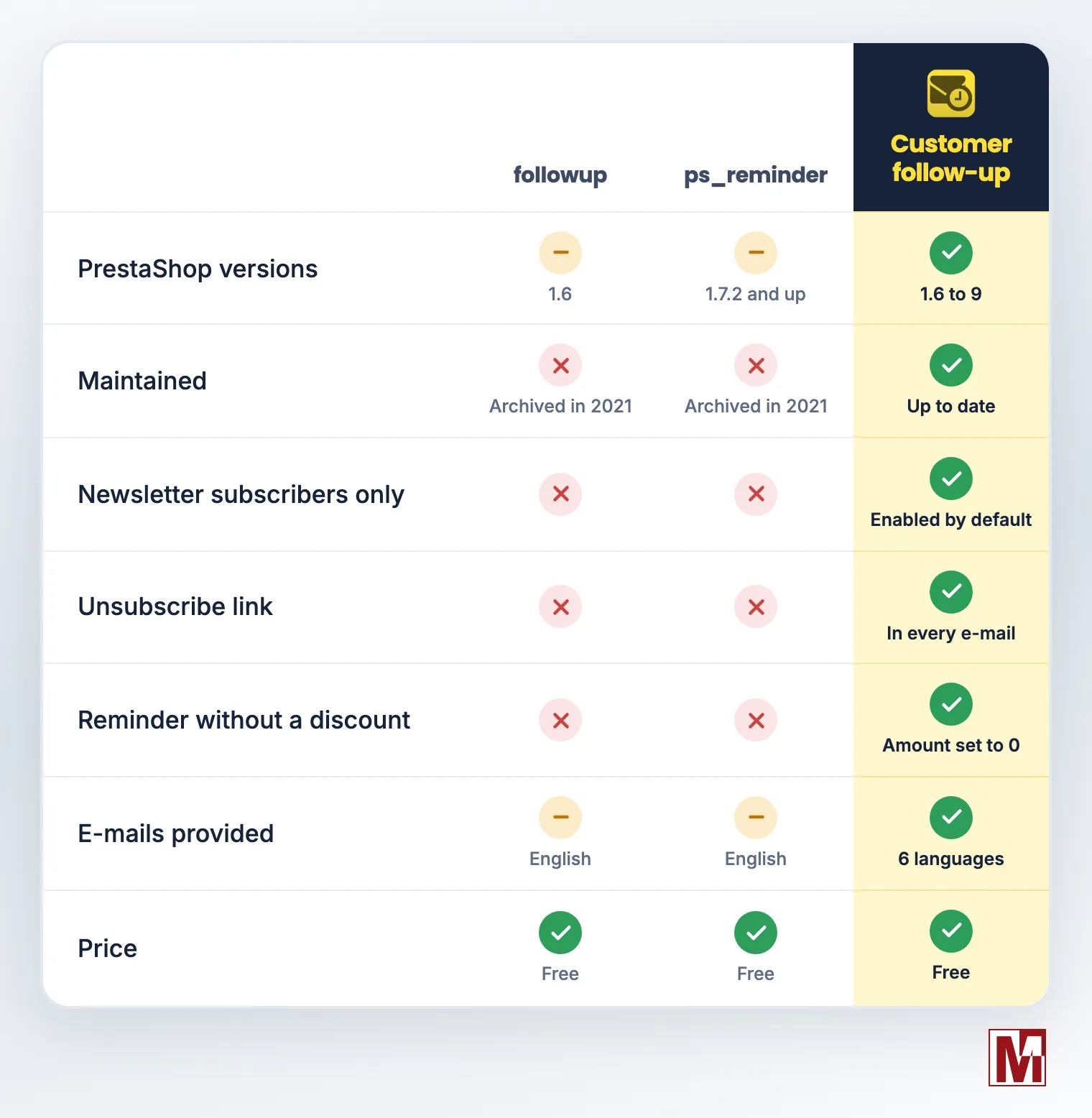
This module had two lives. Under PrestaShop 1.6 it was called followup, then it became ps_reminder for PrestaShop 1.7. Both repositories were archived in February 2021: no more fixes, no more updates, and no version for PrestaShop 8 or 9. Merchants who relied on it were left with paid modules only.
So I took it over, and I offer it to the community as Customer follow-up. It is free, and it will stay free. Feedback from the forum, especially about the GDPR, did the rest: version 1.1 goes much further than the original module.
Four automatic reminders
The principle of the original module is kept: four e-mails go out on their own, each one enabled and set up separately.
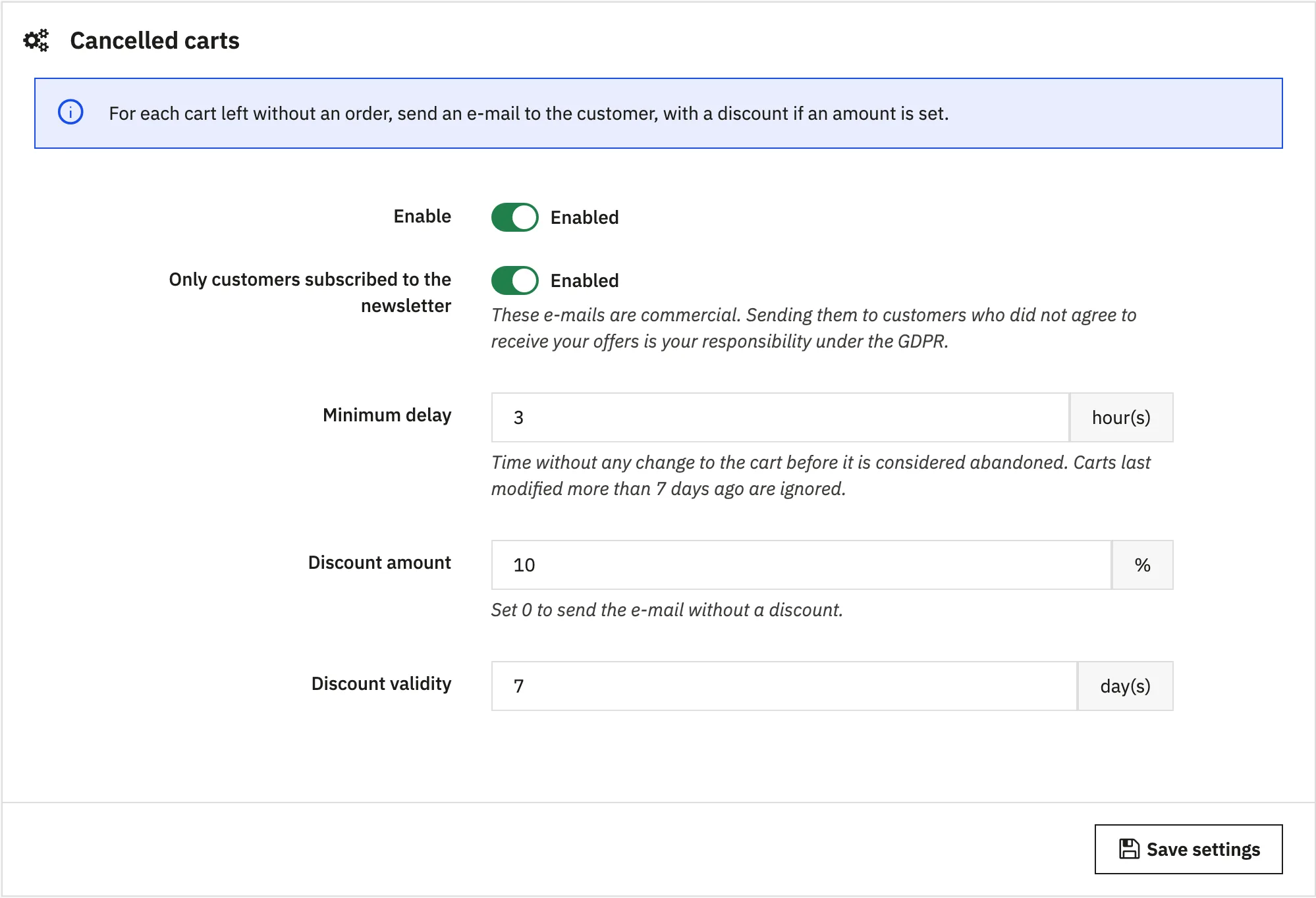
Abandoned carts: a customer who left a cart without ordering gets a reminder, with a discount if you wish.
Thank you for your order: after a validated order, the customer gets a discount for the next one.
Best customers: above a purchase amount you set, the customer is rewarded.
Inactive customers: a customer who has not ordered for a given number of days is reminded, then again after each new period of inactivity.
A Statistics tab shows, for the last 30 days, the number of e-mails sent, the discounts used and the conversion rate of each reminder.
Abandoned carts reminded at the right time
The original module could remind customers in the middle of their visit, or for an empty cart. These cases are fixed:
Minimum delay: a cart is only considered abandoned after a period without any change, 3 hours by default.
Empty carts ignored, as well as carts last updated more than 7 days ago.
One e-mail per customer, even with several carts left behind.
No reminder after an order: a customer who has ordered since is no longer reminded about the old cart.
GDPR compliant, by default
This is the question that came up on the forum: a reminder e-mail with a discount is a commercial e-mail. Sending it to a customer who never agreed to receive your offers makes you liable, and neither followup nor ps_reminder cared about it.
Newsletter subscribers only: every reminder has this option, enabled by default, on installation as well as on upgrade.
Unsubscribe link in every e-mail: it leads to a confirmation page on your shop. An unsubscribed customer no longer receives any reminder.
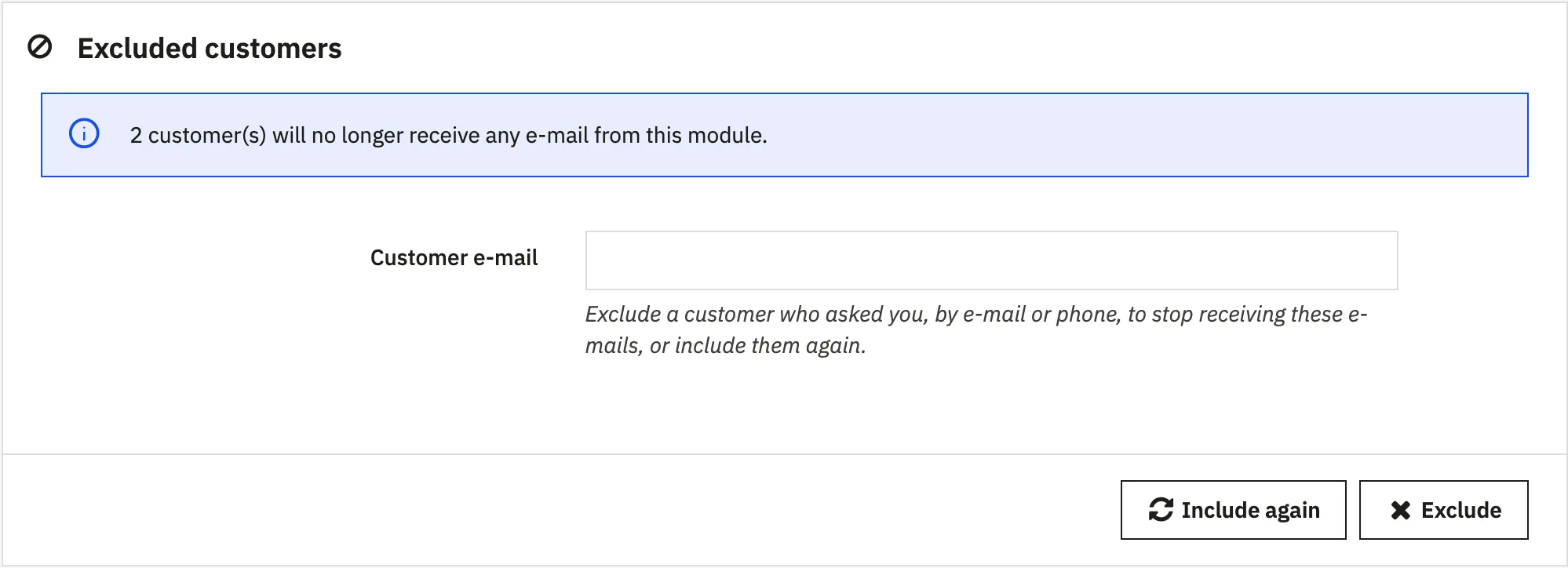
Exclusion from the back-office: a customer asks you, by e-mail or by phone, to stop the reminders? Enter their address and they are excluded from every reminder, even if they are not on your newsletter.
Deleted or disabled accounts ignored.
The reminder does not rely on any cookie: the cart is stored on the server and linked to the customer account, and only logged-in customers, whose address the shop knows, are reminded. There is nothing to connect to your cookie consent module.
A clean e-mail, in the customer's language
followup and ps_reminder only shipped their e-mails in English. Worse, a customer whose language had no template received nothing at all.
E-mails provided in six languages: English, French, German, Spanish, Italian and Polish. English is used for the other languages: no customer is left out.
Subject and discount name in the customer's language, whatever the language of the back-office.
Customizable in your theme: your own templates, placed in the theme folder, are used first and are never overwritten by an update.
With or without a discount
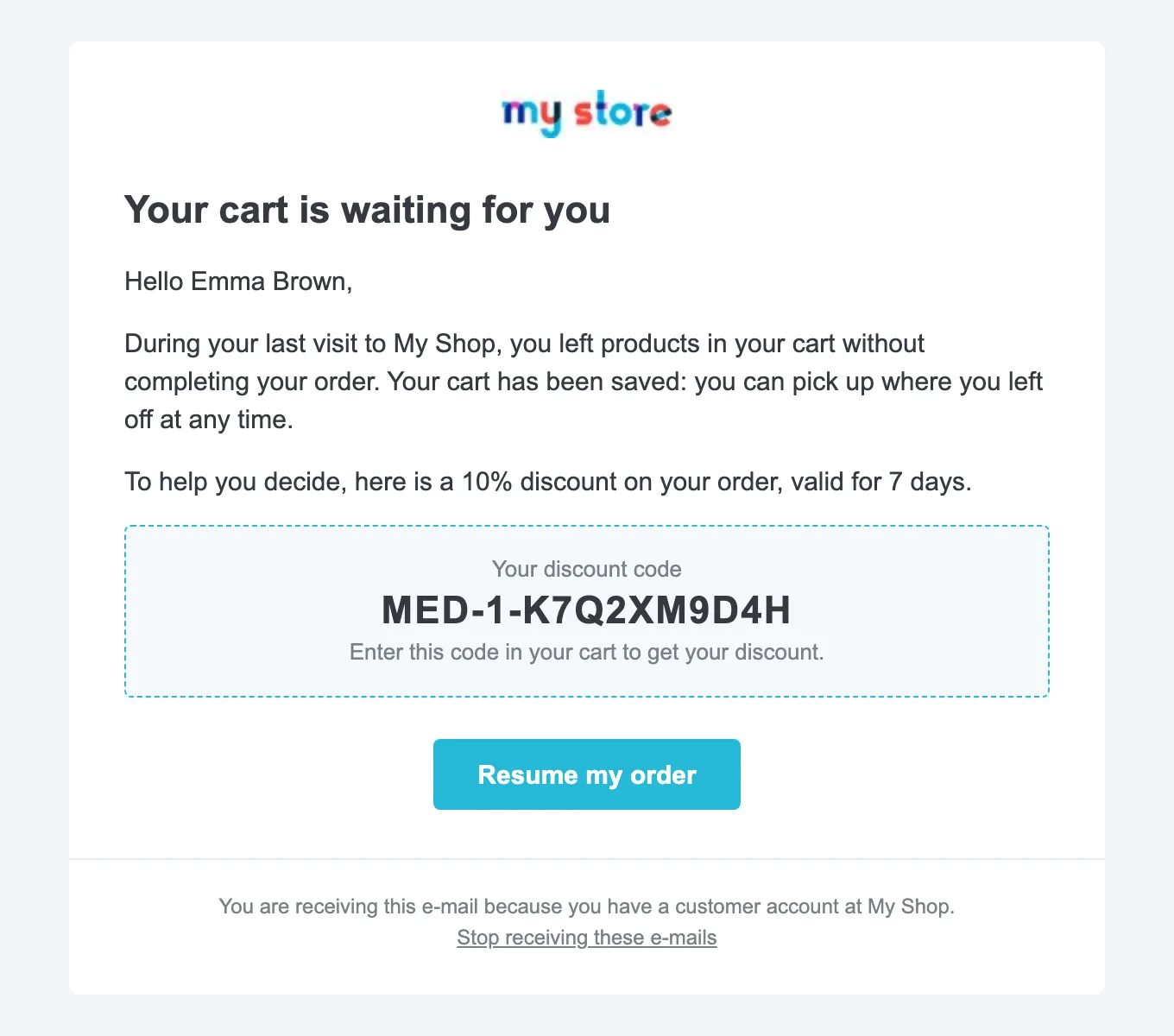
Unique, personal code for each customer, with an amount and a validity of its own for each reminder.
Reminder without a discount: set the amount to 0 and the e-mail goes out as a simple reminder.
No orphan discount: if the e-mail could not be sent, the discount is not created.
Automatic cleanup of expired discounts, if you wish.
Scheduled in one click with medcron
The reminders are sent by a scheduled task, to run every hour. The new Cron task tab gives the address of each shop, multistore included, the line ready to paste into a crontab and the date of the last run.
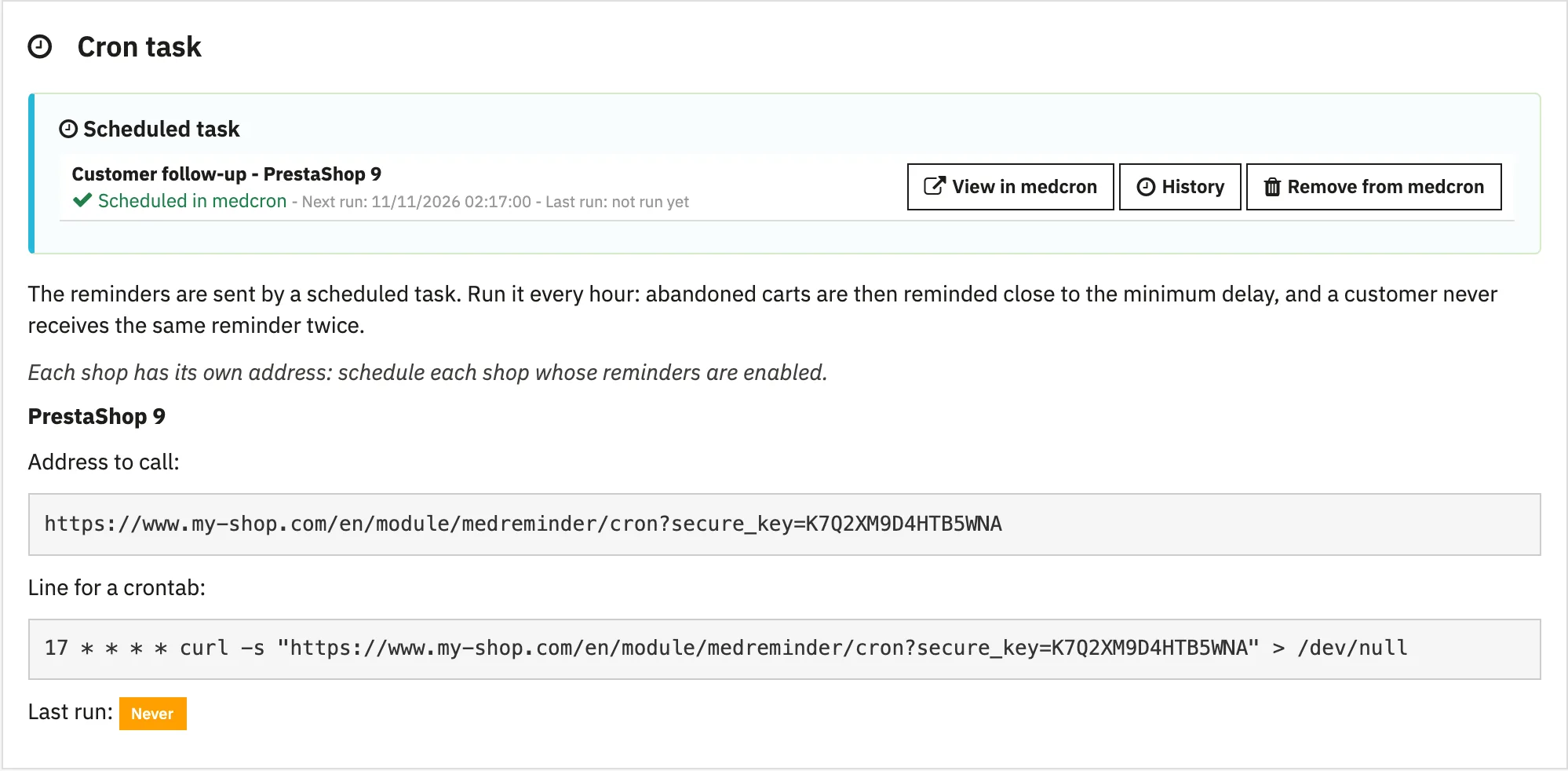
If my free module Cron - Scheduled tasks manager is installed, one click is enough: the task is created with the right frequency, and you get its run history and e-mail alerts.
followup, ps_reminder or Customer follow-up?
Compatibility
PrestaShop 1.6 to 9
PHP 5.6 to 8.5
Multistore, with one task per shop
Interface in English, French, German, Spanish, Italian and Polish
No native table modified, no external resource loaded in the back-office
Installation in a few minutes
Download the module from PrestaToolBox and install it from the module manager. Already using a previous version? Install the new one over it: your settings are kept.
Enable the reminders you want, then set the amount, validity and delay of each one.
Schedule the task from the Cron task tab: one click with medcron, or one line in your hosting crontab.
Free, and it will stay that way
The module works as soon as it is installed, with no sign-up and no subscription. The free registration, with just your e-mail address, adds update notifications, one-click updates and the built-in support form.
Developing it and keeping it up to date with each new PrestaShop version takes time. If the module is useful to you, a window will offer you to make a donation from time to time: nothing is loaded from Ko-fi until you choose to.
Download Customer follow-up from PrestaToolBox
Want to see it before installing it? The demonstration shop of the free modules opens its back-office with the "Backoffice access" button: the Customer follow-up module is in the module manager.
The full presentation of the module and its documentation detail every setting.
Thanks to the members of the PrestaShop forum who tested the module and shared their feedback. Your comments are always welcome, below or from the module's support form.
