
Cron: the free module that takes over PrestaShop scheduled tasks
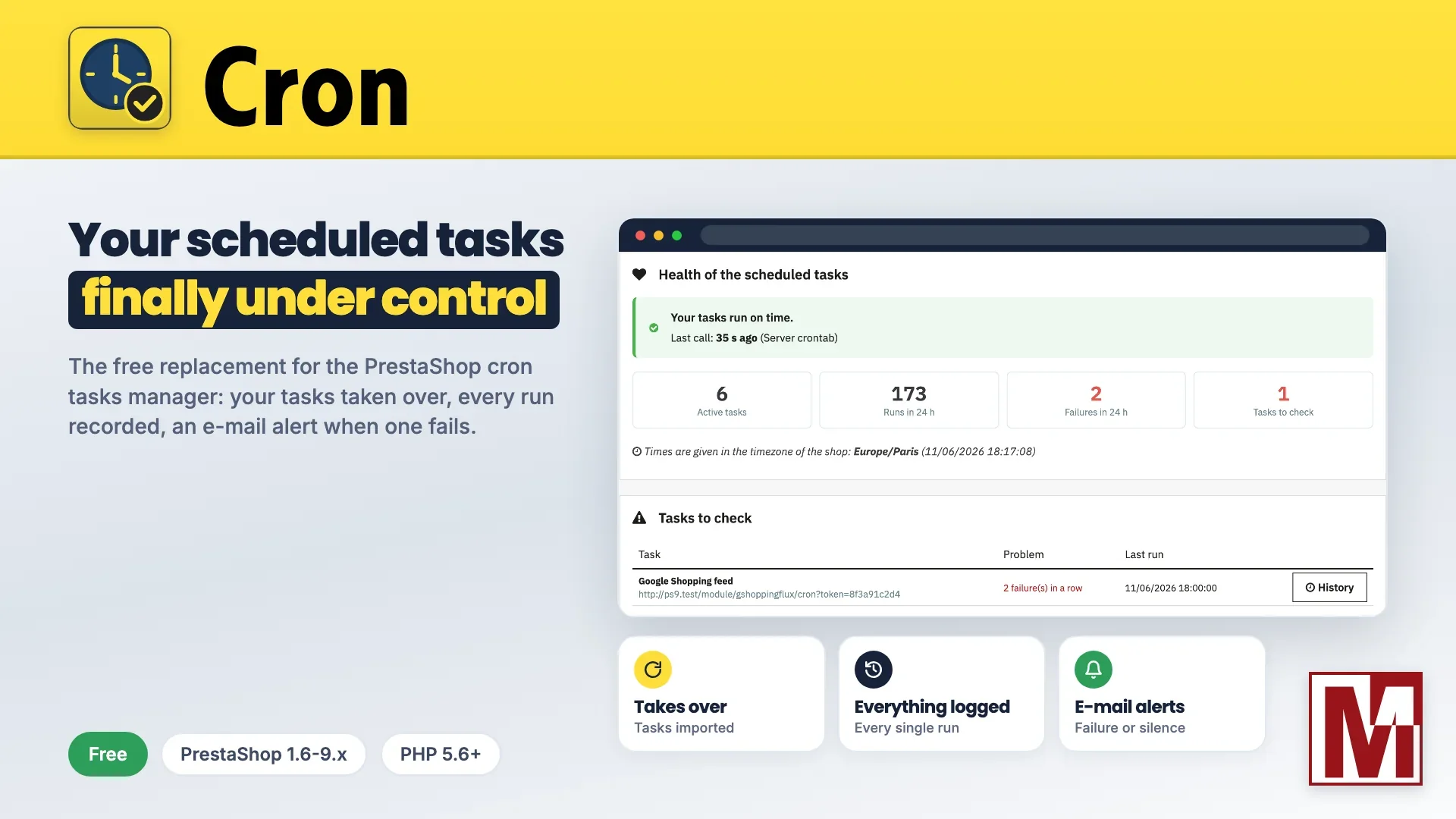
Since December 2025, the PrestaShop webcron service has been shut down. Shops that relied on the basic mode of the Cron tasks manager (cronjobs) no longer run their scheduled tasks, and nothing tells them. I wrote about it in Cronjob of PrestaShop: a disappearance that breaks everything, or almost.
On my side, my former free module Crontab for Prestashop was no longer up to recent PrestaShop versions. Rather than patching it, I rewrote it from scratch. Here is its successor, still free: Cron - Scheduled tasks manager.
It does everything both modules did, and adds what they always lacked: knowing what really happened, and being warned when something stops running.
Why scheduled tasks matter so much
A PrestaShop shop relies on tasks that run unattended: Google Shopping and price comparison feeds, abandoned cart reminders, stock synchronisation with an ERP or a supplier, exchange rate updates, backups, data cleanup. When one of them stops, nothing shows at first. You find out days later, with a rejected feed, wrong stock or a missing backup.
A good task manager must therefore do three things: run the tasks on time, keep a record of every run, and warn the merchant when something goes wrong. That is exactly what this module does.
Takes over without loss
Changing tools must not break anything. The module was designed to replace the existing solutions without touching any other module.
Compatible with the PrestaShop cron: modules using the
actionCronJobhook and thegetCronFrequency()method are taken over as they are, with the frequency they ask for.One-click import: the tasks of the Cron tasks manager and of Crontab for Prestashop are listed in the dashboard: you choose which ones to import, or none. The module then disables the former manager to avoid double runs.
Suggested tasks: the dashboard spots the modules that publish a cron address, such as the sitemap (gsitemap), the faceted search price index or the follow-up e-mails. It suggests the task with its address and a suitable schedule: one click is enough, nothing to copy.
An API for modules: a module can schedule its own tasks in Cron, without the merchant having any crontab to set up.
No core change: no override, no PrestaShop file touched.
Tasks on time, to the minute
Scheduling accepts full cron expressions (minute, hour, day of month, month, day of week). For those who would rather not bother, ready-made schedules cover the usual needs: every 5 minutes, every hour, every night at 3 am, every Monday.
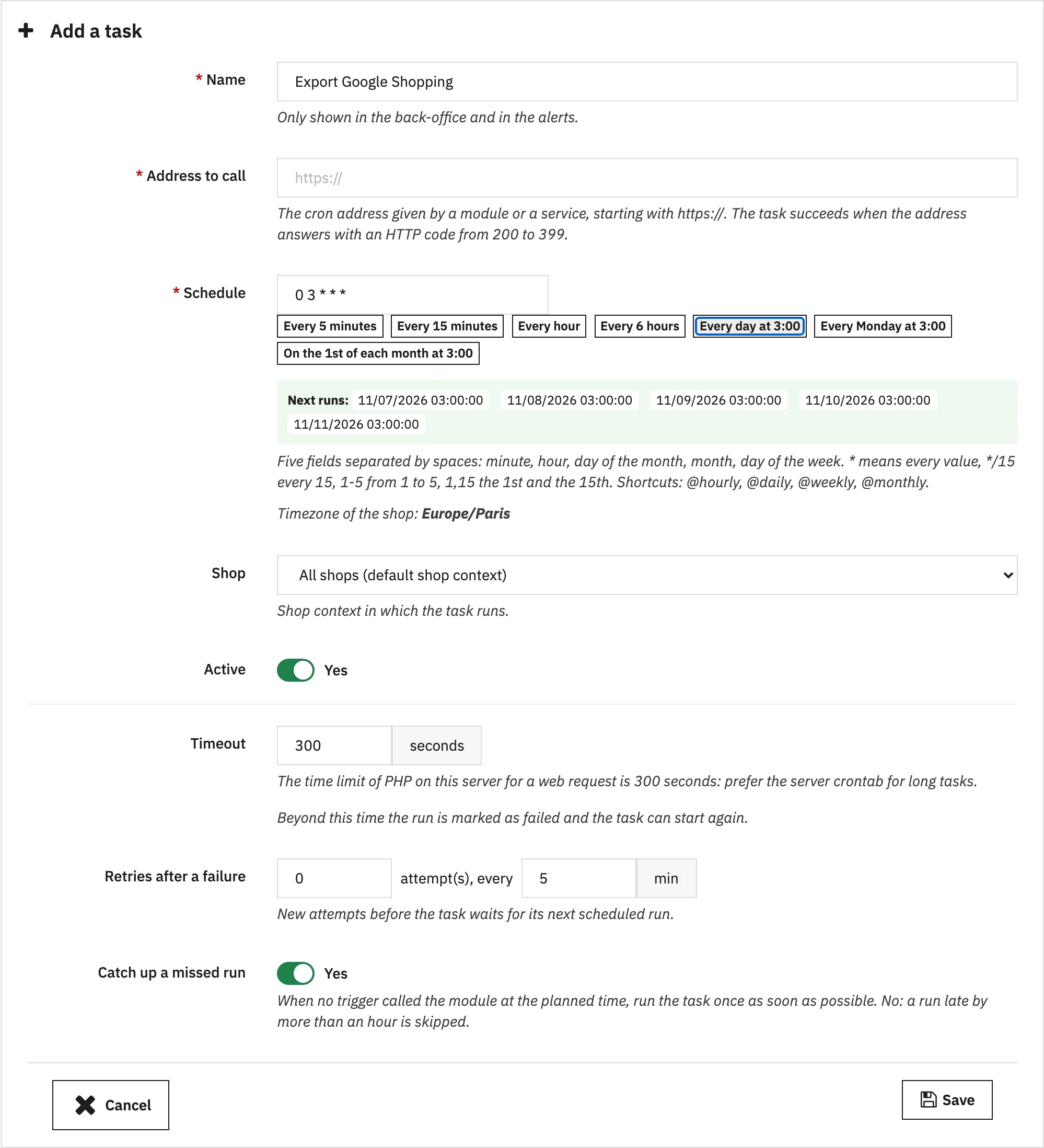
Preview of the next 5 runs as you type: you see at once whether the expression does what you expect.
Shop timezone, with real handling of clock changes: a task planned at 2:30 am is neither skipped when summer time starts, nor run twice when it ends.
Lock per task: a task still running is never started again on top of itself.
Retries after a failure, with a number and a delay set task by task.
Catch-up of a missed run, for example after a server outage.
Timeout per task, so that a stuck task does not hold back the others.
Isolated errors: even a fatal PHP error is recorded in the history and does not stop the next tasks from running.
Three ways to trigger the tasks
The module fits every kind of hosting, from a dedicated server to the simplest shared plan.
The server crontab
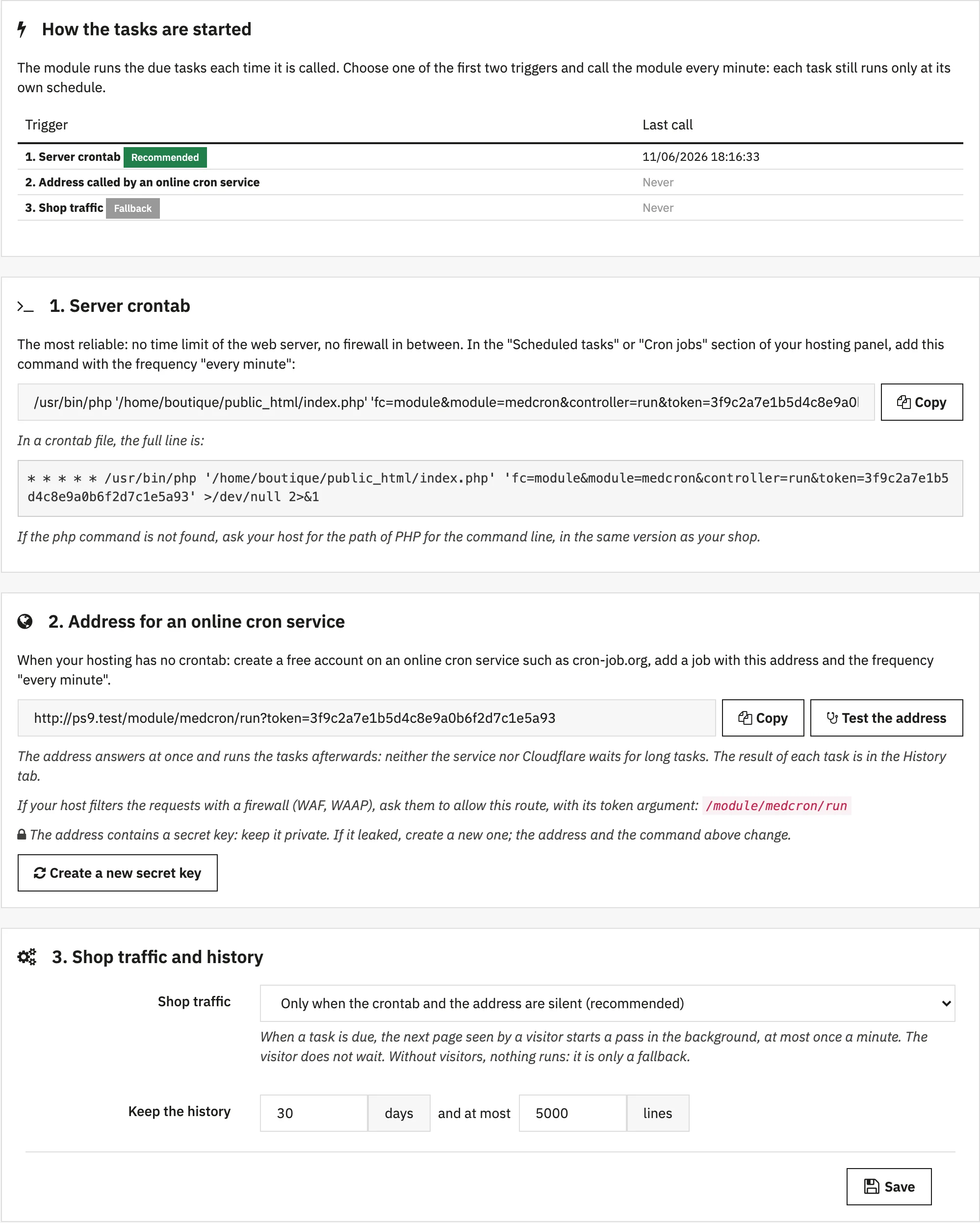
This is the most reliable option. The module shows the complete command, with the right path to PHP and to the shop, ready to paste into the crontab or the hosting control panel. It runs from the command line, without going through the web server or its time limits.
A secure address
For an online cron service, the module provides an address protected by a secret key, which you can regenerate at any time. It answers at once and runs the tasks afterwards: a service such as cron-job.org no longer times out, and the Cloudflare 524 error disappears on long tasks.
Behind Cloudflare, the tasks that call the shop are no longer blocked by its browser check ("Just a moment..."): the module then calls the shop server directly.
Shop traffic
As a last resort, shop visits trigger the due tasks, without slowing pages down. This mode takes over automatically when the other two go silent: the shop keeps running even if the crontab was lost during a migration.
You finally know what happens
This is the weak point of most task managers: they run, but say nothing. Here, every run leaves a trace.
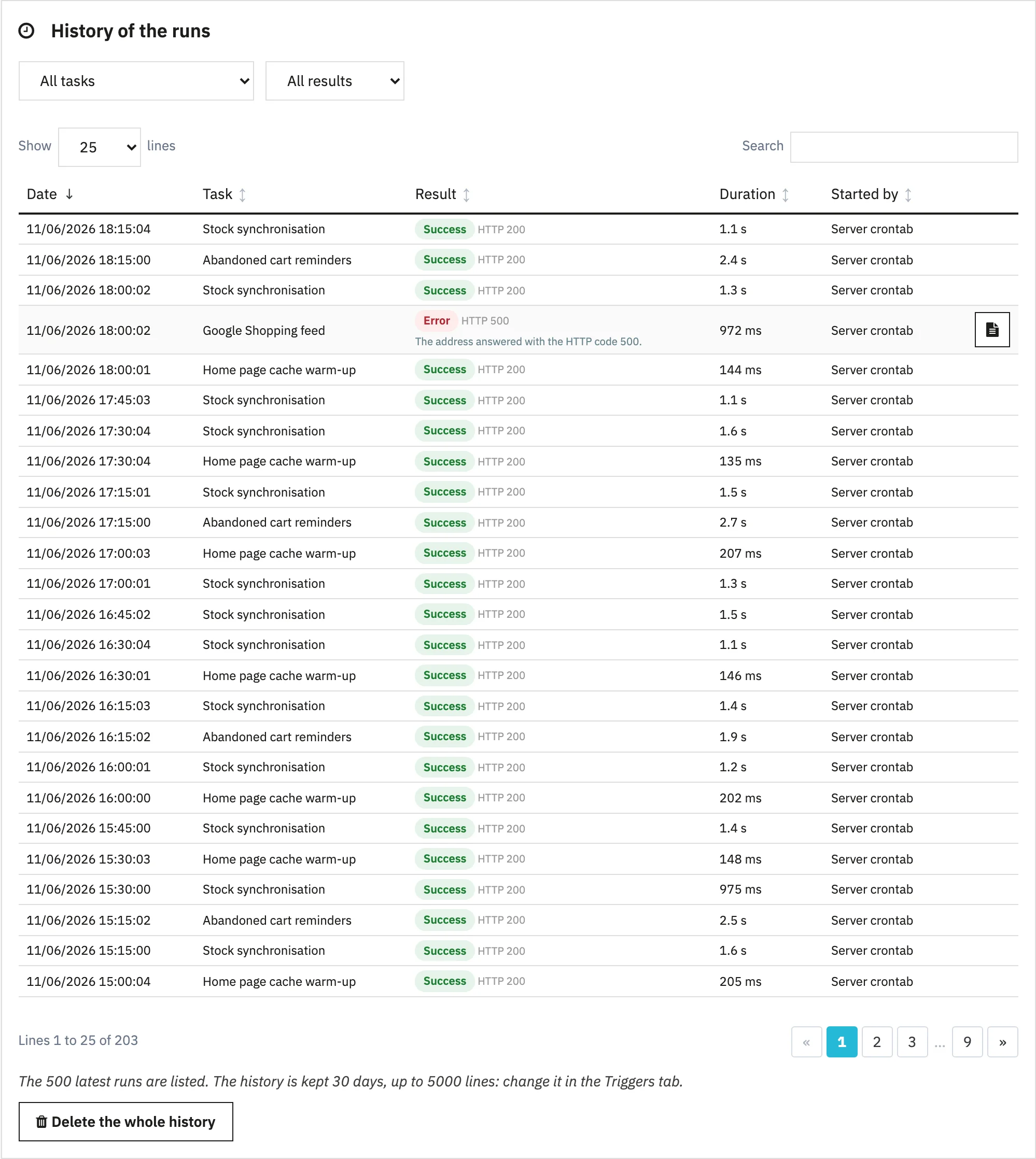
Complete history: result, duration, HTTP code, error message and task output, with an adjustable retention period.
Run now button on every task, with the answer shown on screen: ideal to check a setting without waiting for the next run.
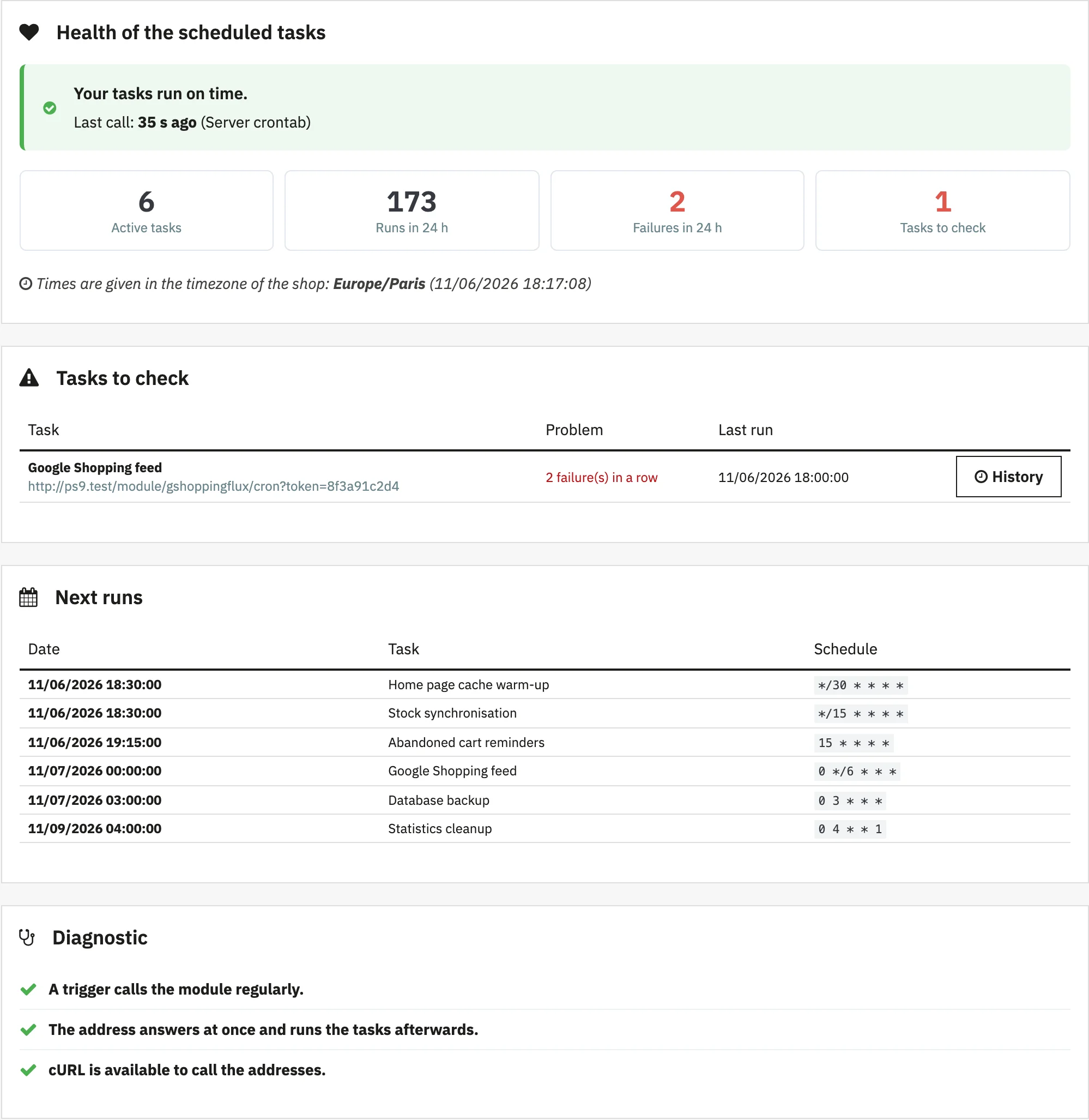
Diagnostic of the server and the trigger in the dashboard: last call received, mode in use, address test.
Task health on the back-office home page: a block shows whether the tasks run on time and lists those to check, without even opening the module.
E-mail alerts
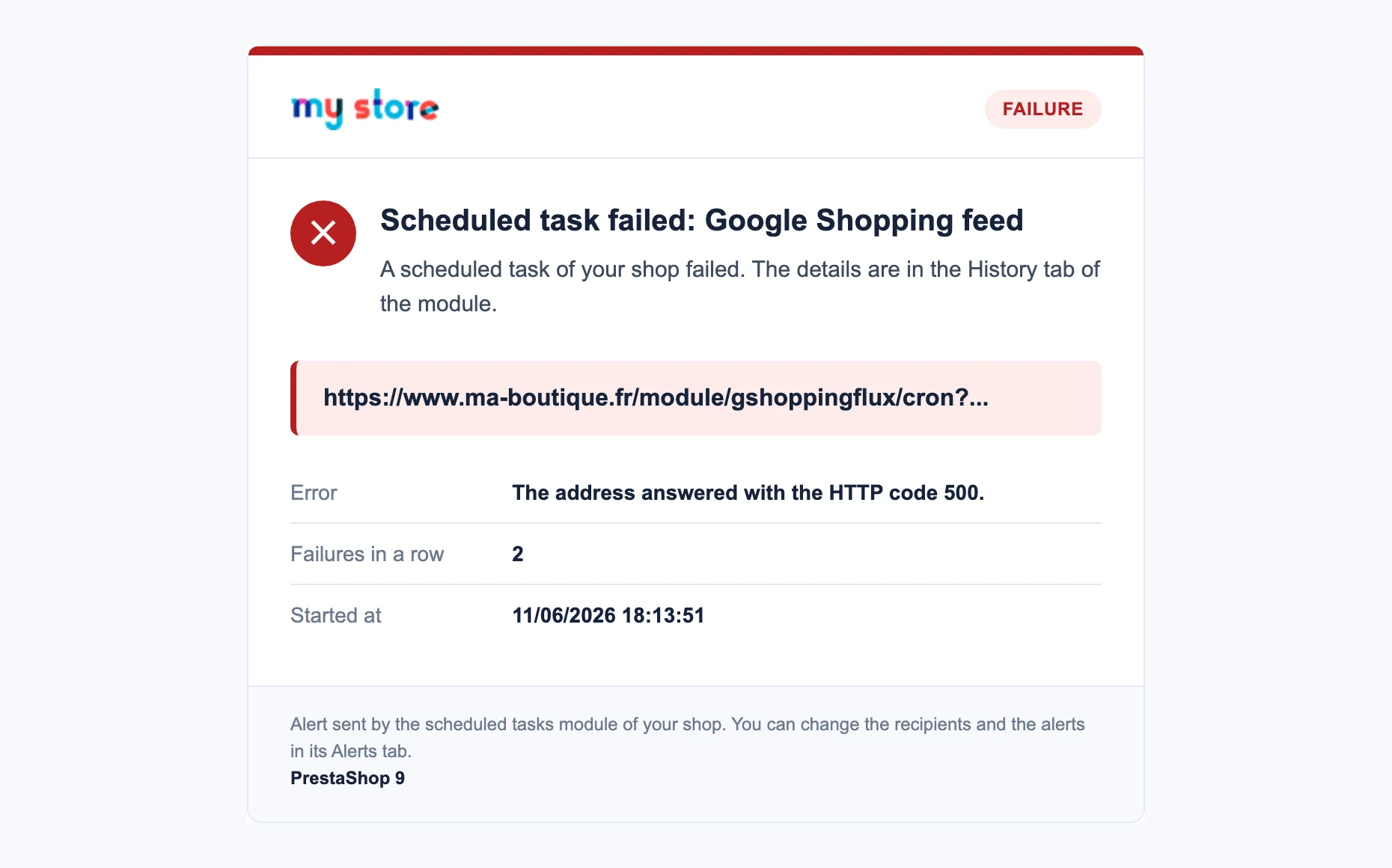
The module sends an e-mail when a task fails, when nothing has called the shop for a while, then when everything is back to normal. Each alert clearly shows its level, the task concerned and the reason for the failure, without exposing the secret key of the address.
Copying your tasks to another shop
A staging shop to set up, a move to a new server? The Tasks tab exports all the tasks and their settings to a file, to import into the other shop.
The address of the original shop is replaced with the address of the new one.
A task already there is updated, the others are created.
The addresses that hold a secret key of the shop are not exported: the shop that imports the file builds them again itself.
Three ways to schedule your tasks
They do not give the same visibility on what happens.
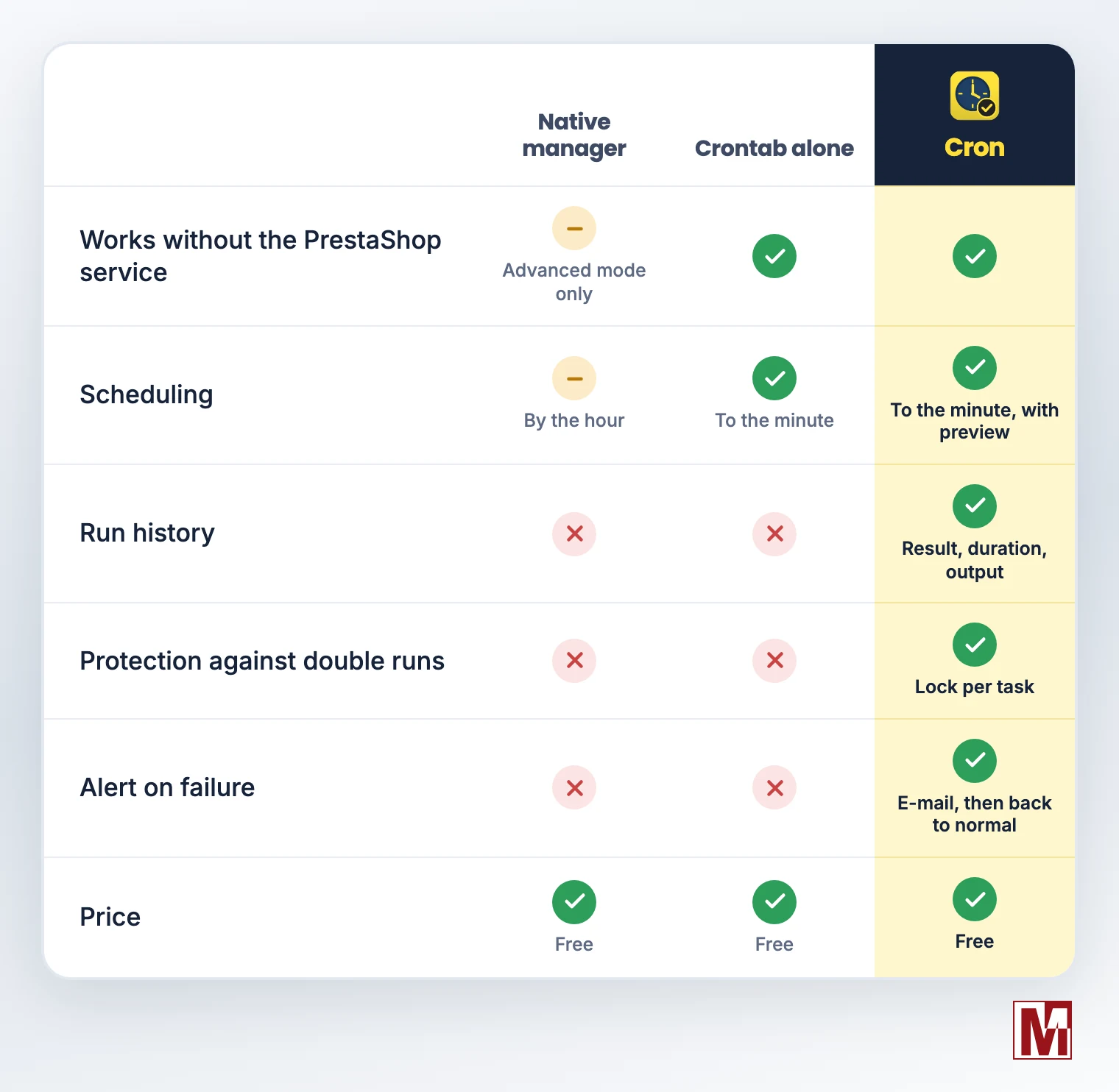
Cron does not replace your hosting crontab: it needs it, or an online cron service, to be called every minute. Shop traffic is only a backup.
Compatibility
PrestaShop 1.6 to 9, thirty bees and Phenix Suite
PHP 5.6 to 8.5
Multistore
Interface in English, French, German, Spanish, Italian and Polish
Installed in a few minutes
Download the module from PrestaToolBox and install it from the module manager.
Open the dashboard: the tasks of compatible modules are already there, the tasks of known modules are suggested, and the import of former managers is offered if they are present.
In the Triggers tab, copy the crontab command or the secure address. Failing that, shop traffic takes over.
Optional: register the module for free to enable e-mail alerts.
Free, and it will stay free
The module is completely free and works as soon as it is installed, without registration. Free registration, with your e-mail address only, adds e-mail alerts, update notifications, one-click update and the built-in support form.
Download the Cron module from PrestaToolBox
Your feedback is welcome, in the comments or through the support form of the module.
