
MedMonetico replaces py_monetico: complete Monetico payments for PrestaShop
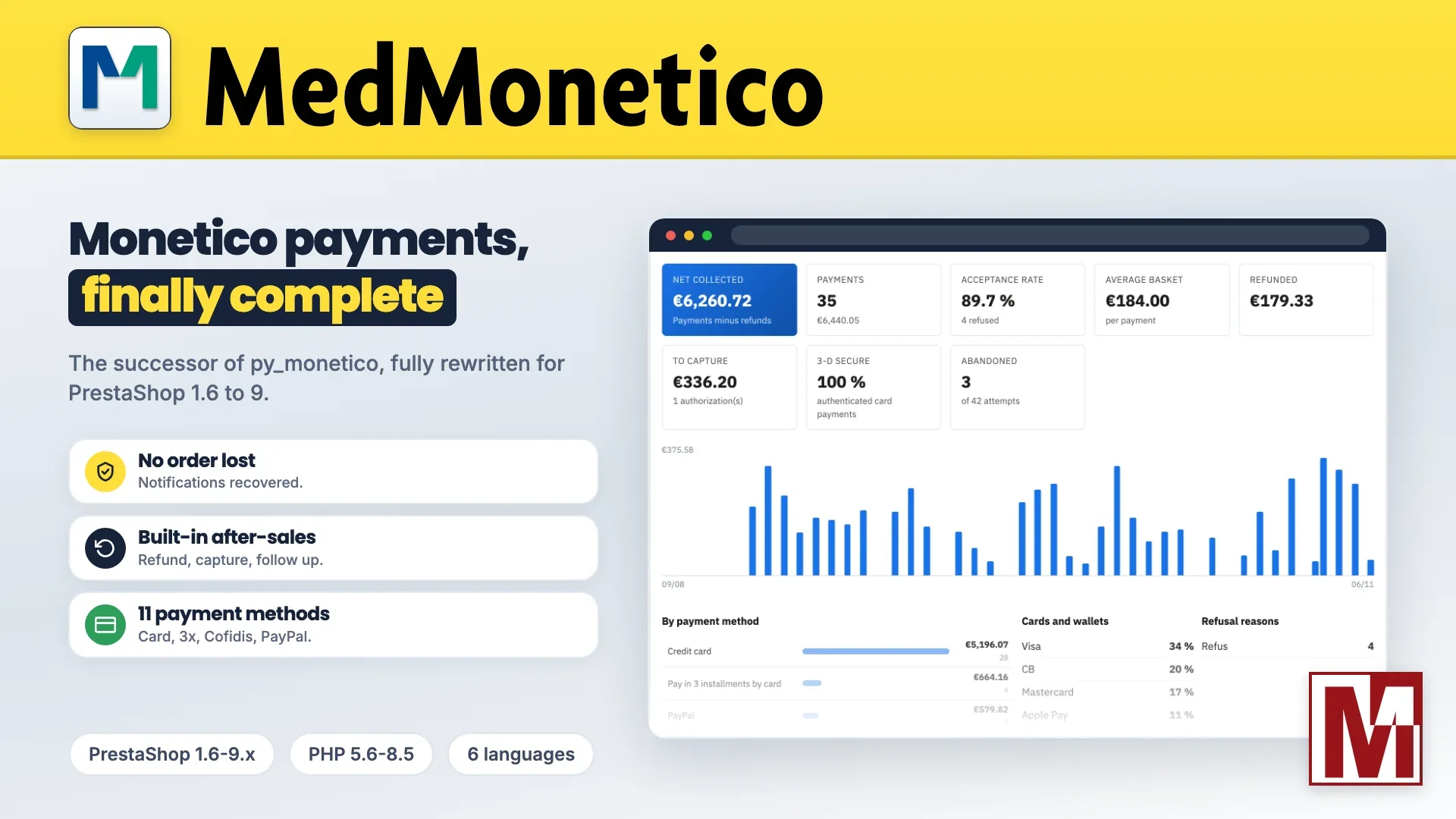
Many of you collect your Monetico payments (CIC, Crédit Mutuel) with py_monetico. It did its job, but it was designed at a time when a payment module simply sent the customer to the bank's page, then waited for its answer.
The past months proved it: PrestaShop 9 removed a method it relied on, and payments were collected without any order being created. Versions 2.3.1 and 2.3.2 fixed those cases, but a shop should never depend on a notification arriving on the first try.
Rather than patching py_monetico once more, I rewrote it from scratch. Its successor is called MedMonetico, and everything in it is new: the code, the interface, the way orders are created, and a long list of features py_monetico never had. If your py_monetico licence is still valid, switching costs you nothing.
What a Monetico module really has to do
The payment itself happens on the secure Monetico page. Everything else depends on the module, and that is where trouble starts:
The missing paid order: the customer paid, but the Monetico notification got lost on the way. No order exists in PrestaShop, and nobody is told.
The duplicate order: two notifications arrive at the same moment, and a single payment creates two orders.
Bank paperwork: the notification address has to be registered by the bank before the first payment.
After-sales outside the shop: refunding, capturing a deferred payment or finding a transaction means going through the Monetico dashboard.
MedMonetico was written to solve these four points at the root.
No lost paid order, no duplicate
Duplicate lock: two simultaneous notifications create a single order, and a replayed notification has no effect.
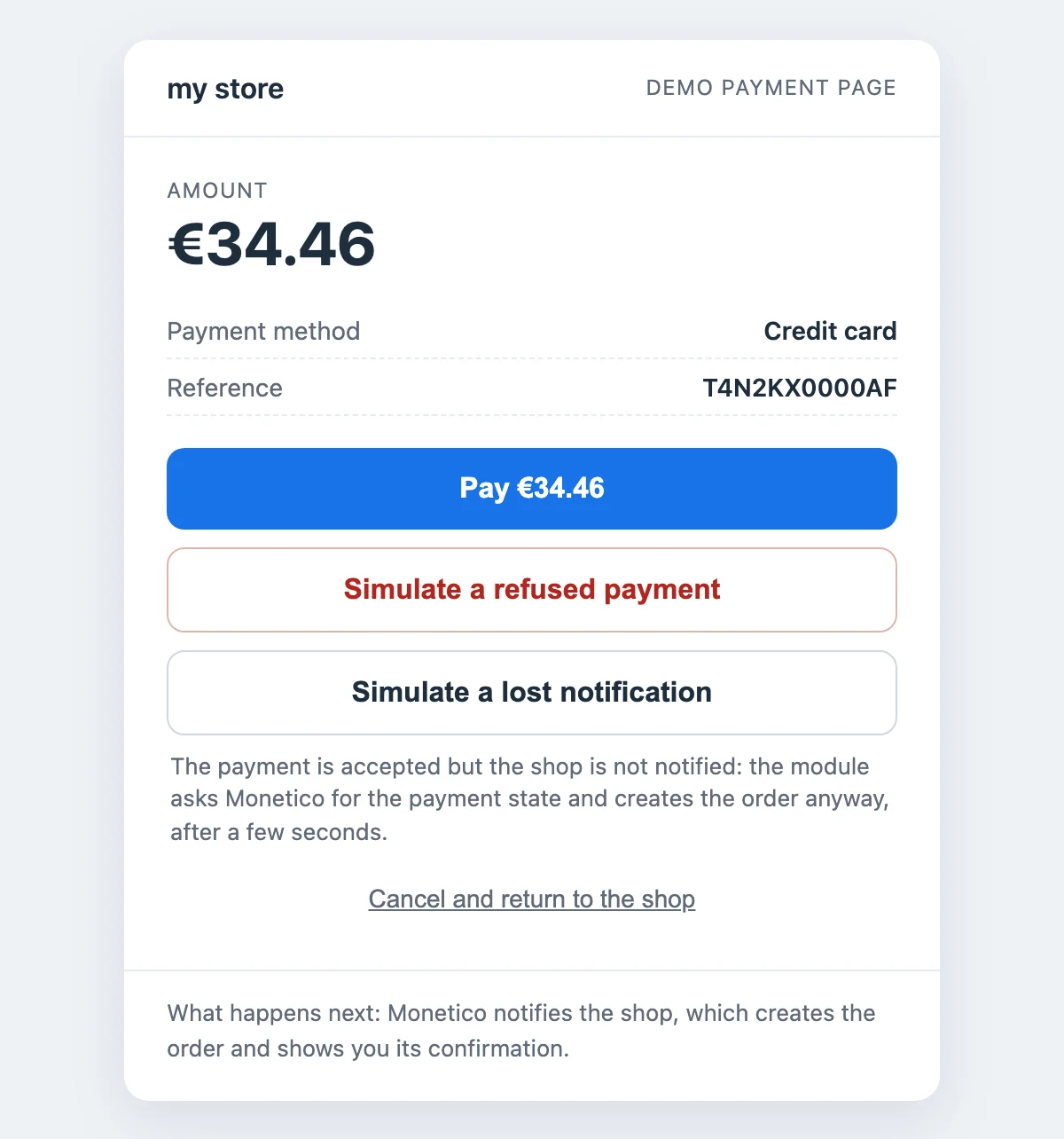
Lost notification recovered: a payment left pending is checked with Monetico, and its order is created automatically.
Waiting page: back from the payment page, the customer sees the confirmation as soon as the order exists, never a blank page.
Amount checked: an amount that does not match the cart, or a cart paid twice, is reported to you.
Every Monetico payment method, in a single module
py_monetico stopped at card, installments and three Cofidis offers. MedMonetico offers everything Monetico can collect:
credit card and Apple Pay;
payment in 2, 3 or 4 installments by card;
Cofidis in 3x, 4x, 5x, 10x and 12x, credit and pay in 30 days;
PayPal and Lyf Pay, through the Monetico page.
Each method has its own minimum and maximum amounts, its excluded carriers, customer groups, countries and currencies, and even its own contract if your bank opened several for you. The display order is set by drag and drop.
After-sales without leaving the order
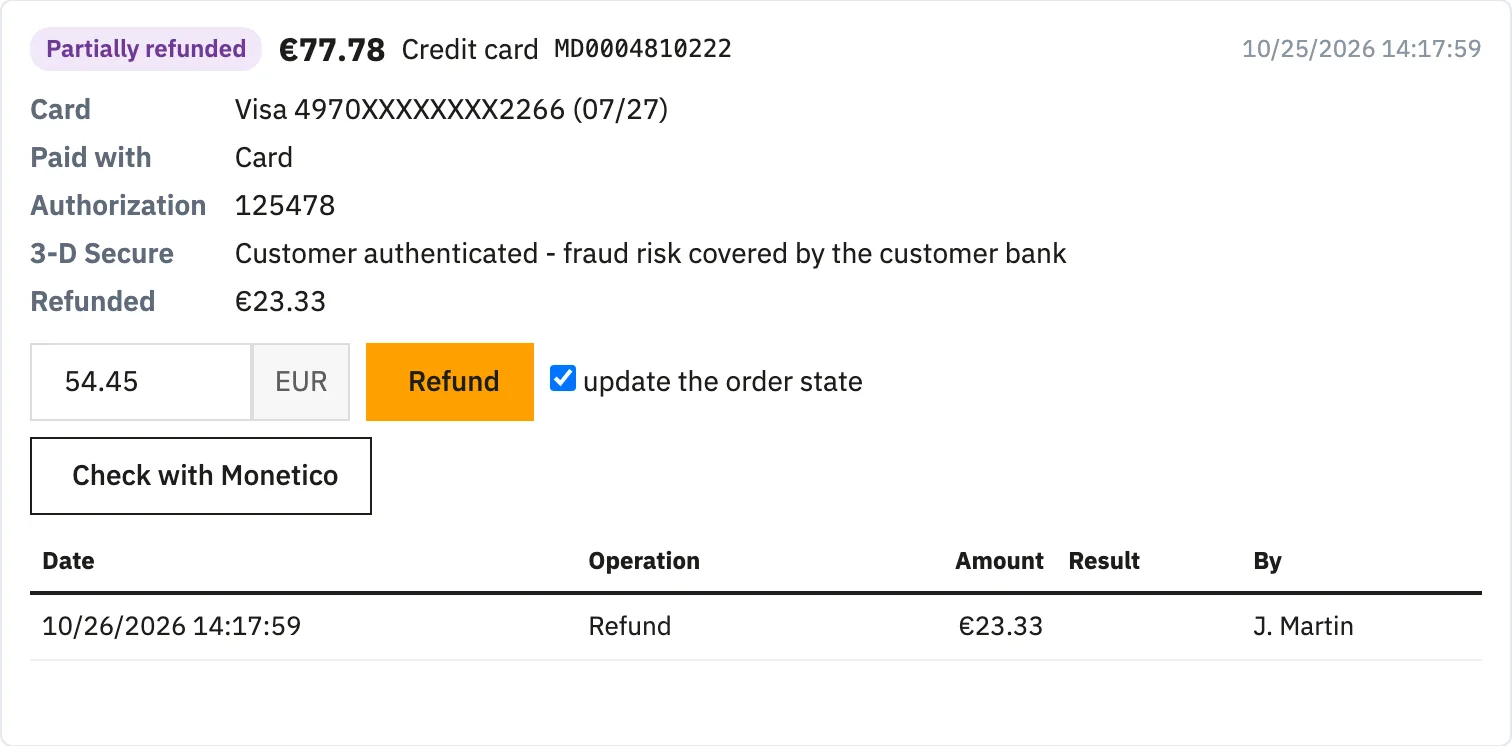
What used to require the Monetico dashboard is now done from the order page, in the PrestaShop back office:
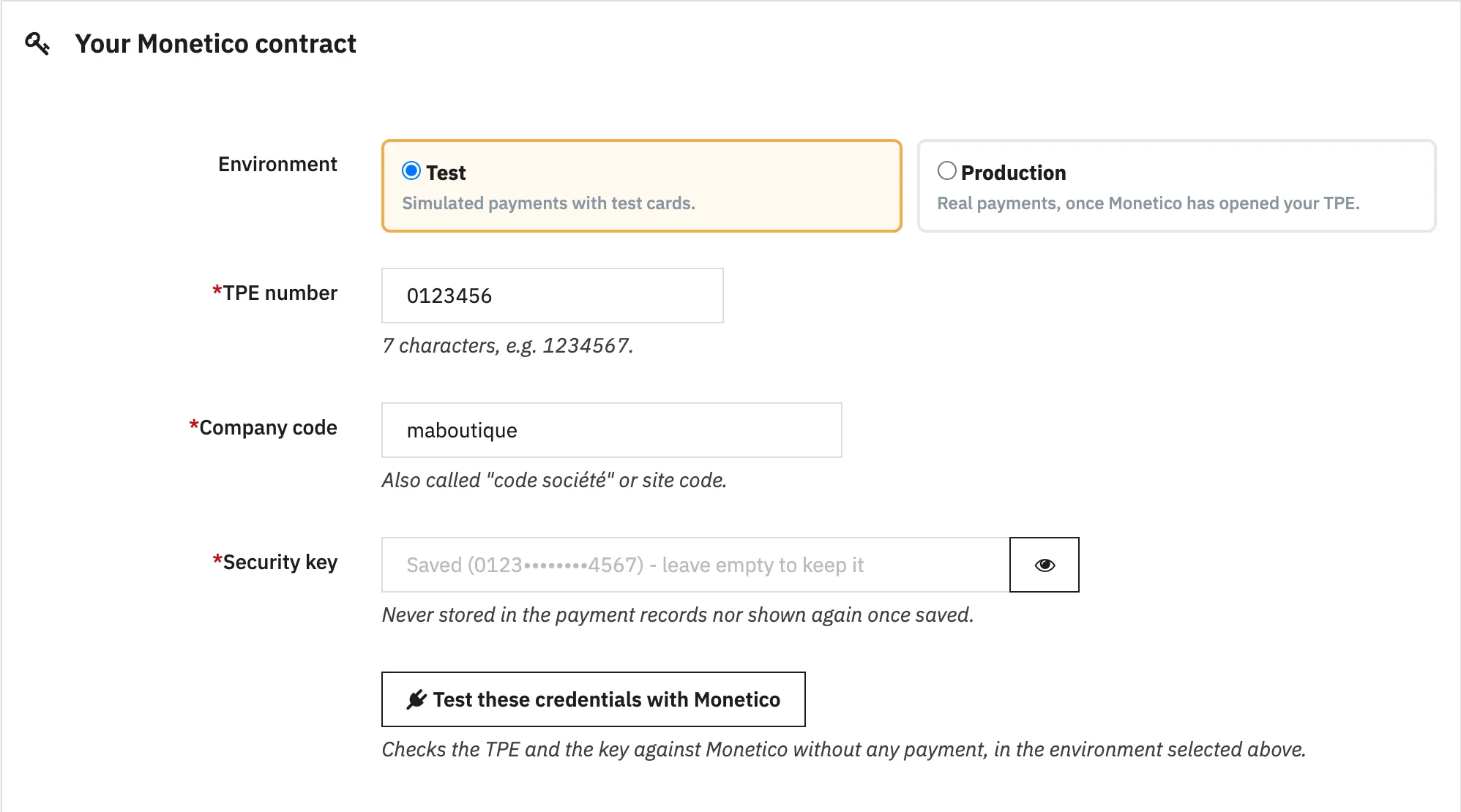
Full or partial refund, enabled after a test with Monetico, without any payment.
Credit slip refunded to the card: the PrestaShop credit slip created for a return is refunded to the customer at the same time.
Deferred capture: the payment is authorized when ordering and collected on shipping, manually or automatically depending on the order status. An unneeded authorization is released in one click.
Payment links: for an order taken by phone or a balance due, the customer receives a signed payment link by e-mail.
Your payments at a glance
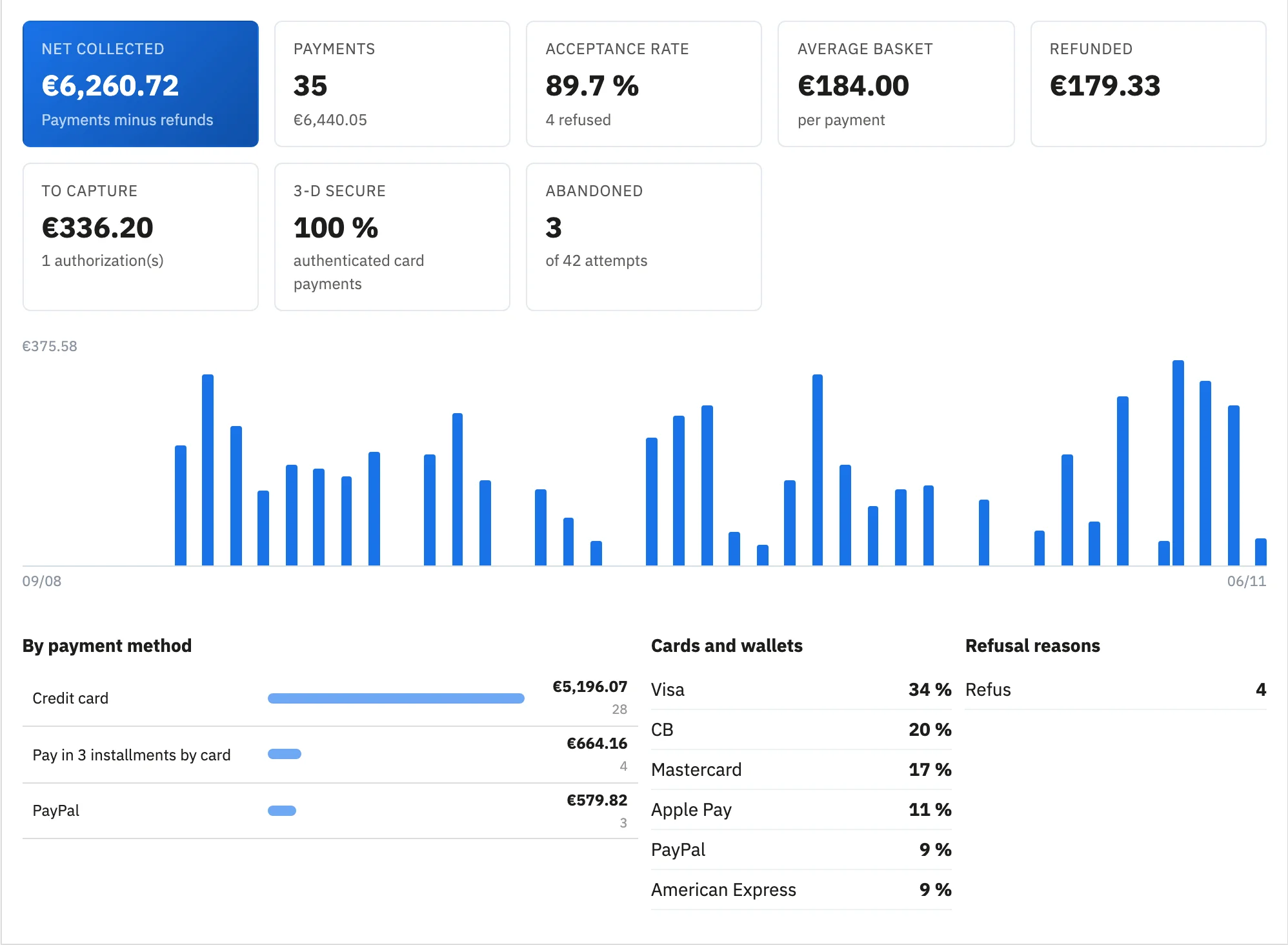
MedMonetico adds what py_monetico never had: real tracking of your payments, without leaving PrestaShop.
Dashboard: net collected, number of payments, acceptance rate, average basket, share of payments authenticated by 3-D Secure, payments to capture, abandoned carts and decline reasons.
Transactions: a filterable list, with CSV export for your accounting.
Log: every operation is recorded, secrets masked.
Alerts: an e-mail for each payment if you wish, and alerts in the administrator's language.
Installments put forward
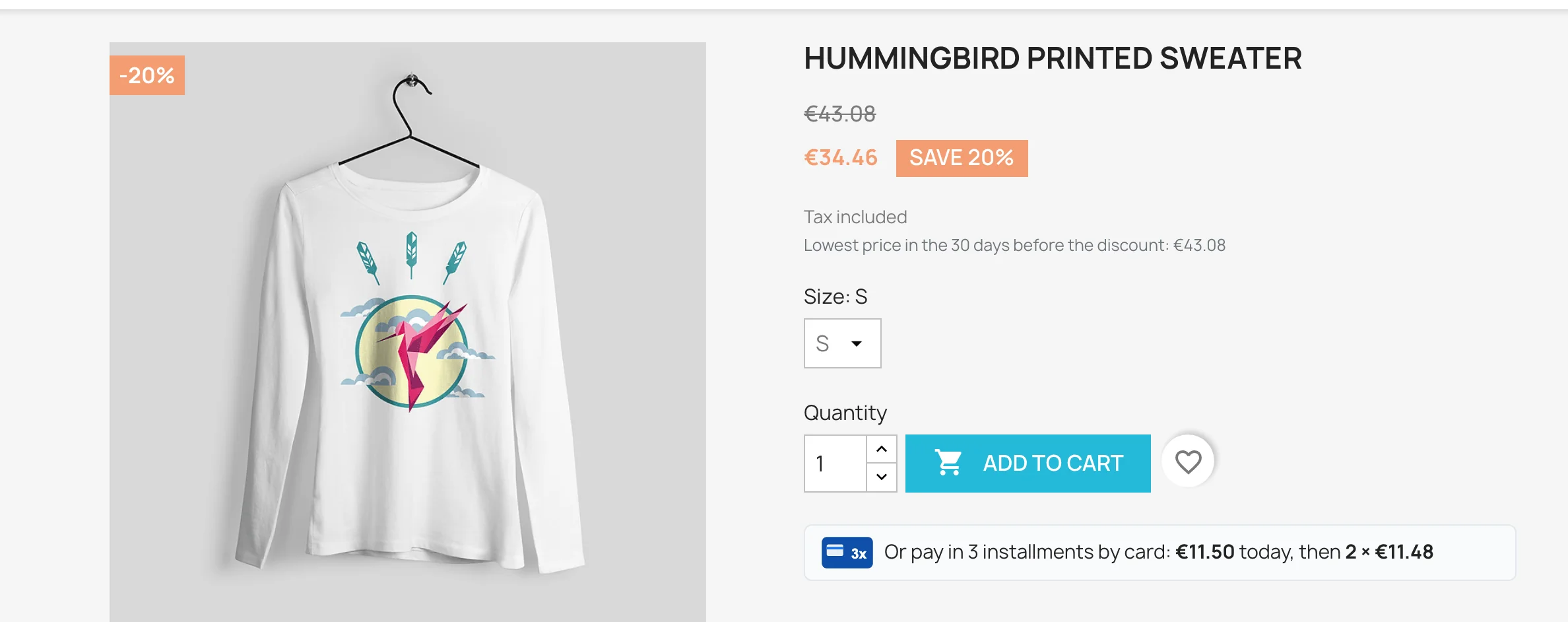
A 3-installment payment nobody sees does not sell. MedMonetico shows "Or pay in 3 installments by card" on the product page and in the cart, with the amount of each installment. When choosing how to pay, the customer sees the dated schedule.
The payment page opens in the customer's language, the card can be saved for a next purchase, and order data is passed to 3-D Secure, with an authentication preference set by amount. A declined payment? The cart is kept, and the customer picks another method.
Up and running in minutes, no bank paperwork
Paste your credentials: TPE number, company code and security key. A button checks them with Monetico, without any payment.
Choose your payment methods and set their conditions. The "Ready to collect?" check shows what is missing, with a direct link to each setting to fix.
Collect: the notification address is sent with each payment, there is nothing to have registered by your bank.
py_monetico, the bank's module or MedMonetico?
Monetico also provides a free module. Here is what each one does, point by point.
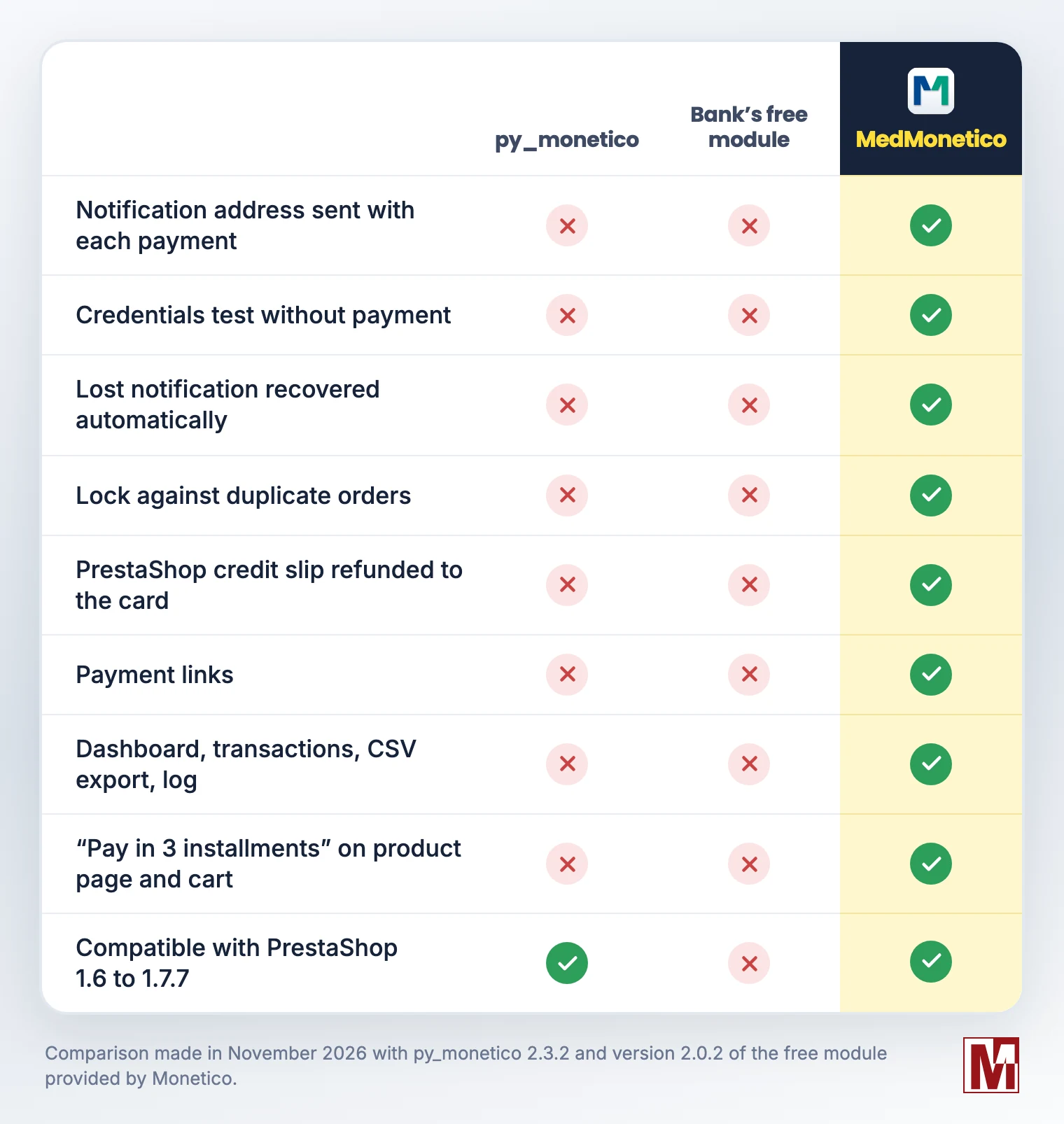
The bank's free module, on the other hand, offers a card form embedded in the site and instant bank transfer, which require specific contract options. MedMonetico relies on the secure Monetico page, which keeps your shop out of the card data scope.
To my knowledge, no other Monetico module for PrestaShop brings all of this together: reliably created orders, after-sales in the order, payment tracking and compatibility from PrestaShop 1.6 to 9. That is why, in my view, MedMonetico is the only module to use today to collect payments with Monetico on PrestaShop.
Switching from py_monetico to MedMonetico
The switch was designed to break nothing, neither your settings nor payments in progress.
Download MedMonetico from your PrestaToolBox customer account: switching is free for any py_monetico licence still valid.
Install it without uninstalling py_monetico: your contracts, payment methods, amounts and restrictions are imported, and the old payment method is hidden. Your customers only see MedMonetico.
Keep py_monetico until the date shown on the dashboard: installments of split payments in progress still reach it. After that date, you can uninstall it.
Orders paid with py_monetico can be refunded from MedMonetico, and the dashboard lists what MedMonetico does not offer, such as bank transfer or recurring payment. Using another Monetico module? Its settings are imported the same way.
Security and compatibility
PrestaShop 1.6 to 9.x and thirty bees
PHP 5.6 to 8.5
Multistore, interface in English, French, German, Spanish, Italian and Polish
Payment on the secure Monetico page: no card data goes through the shop (PCI DSS SAQ A)
Every notification checked by its HMAC-SHA1 seal
No native table altered, no external resource loaded, no remote call during your customers' checkout
Try it before installing it
The demo shop works just like yours: only the payment page is simulated, and no card is requested. Place an order, accept or decline the payment, or deliberately lose the notification: the order is created anyway. In the back office, refund the order and browse the dashboard.
The full presentation of the module, with its demo video and documentation, details every feature.
Discover MedMonetico on PrestaToolBox
The module is also available on PrestaShop Addons.
Your questions are welcome, in the comments or from the module's support form.
