
Critical PHP Vulnerabilities of October 21, 2026: How to Check If Your Hosting Is Patched
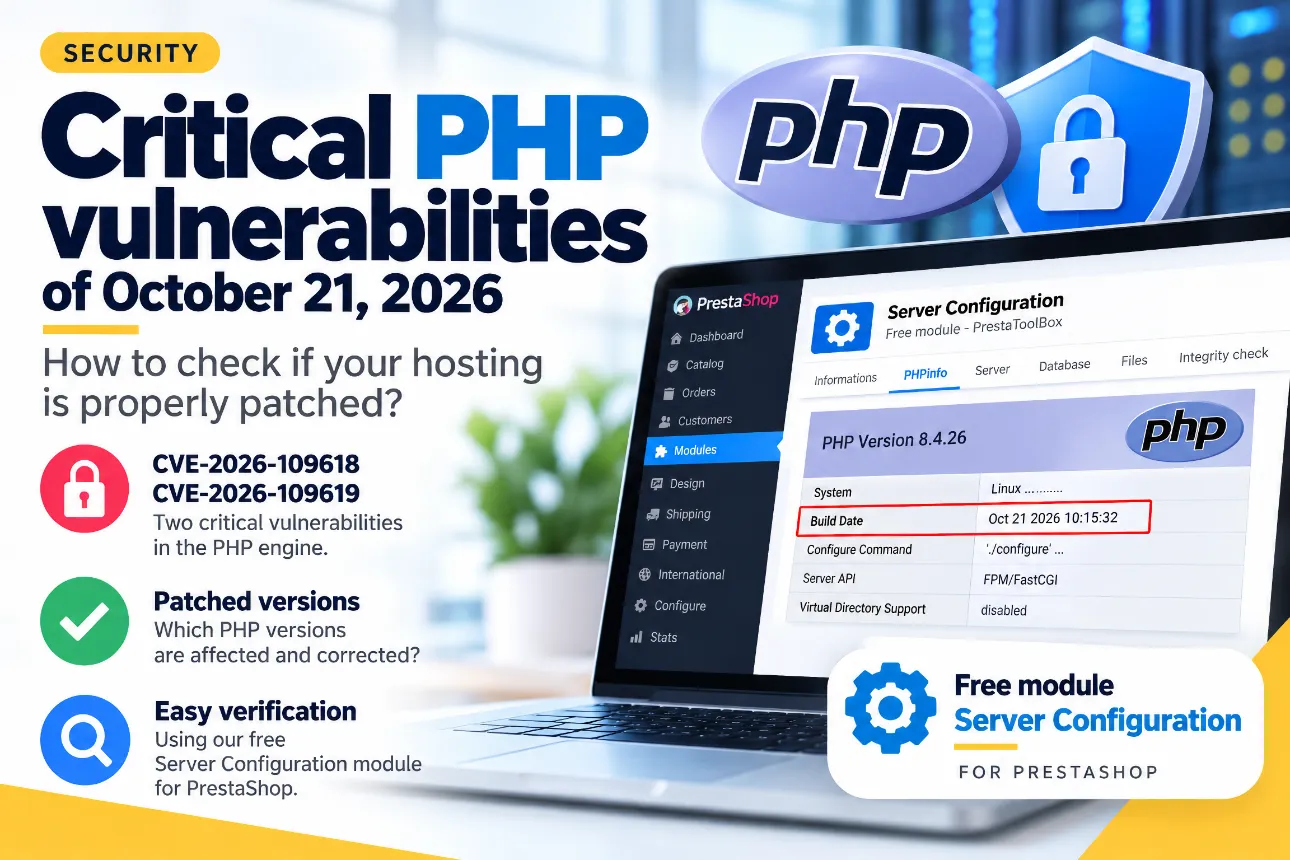
On October 21, 2026, two critical vulnerabilities affecting PHP prompted the release of emergency security updates. Identified as CVE-2026-109618 and CVE-2026-109619, these vulnerabilities potentially affect a large number of websites, including online stores running PrestaShop.
Web hosting providers, server administrators, and infrastructure operators must ensure that the necessary security patches have been deployed.
But how can you check whether your own website is running a patched PHP version?
The difficulty is that a security update does not necessarily change the PHP version number displayed by your website. An older PHP version may already include recent security fixes, while another installation running the same version may remain vulnerable.
Fortunately, PHP provides useful technical information that can help you investigate.
One particularly interesting field is Build Date, available in the PHPinfo report. It indicates when the PHP binary was compiled.
In this article, we explain how to check this information directly from your PrestaShop administration panel using our free Server Configuration module, and how to determine whether your hosting environment has received the appropriate security updates.
1. Two Critical Vulnerabilities Discovered in PHP
The two vulnerabilities disclosed in October 2026 affect PHP's internal memory management.
Both have been assigned a CVSS v4.0 severity score of 9.2 out of 10, placing them in the critical category.
CVE-2026-109618: Memory Corruption
This vulnerability involves incorrect memory handling during certain out-of-memory conditions.
When PHP encounters these situations while processing HTTP requests, internal data structures may become partially initialized or corrupted.
Under specific conditions, an attacker may exploit this behavior to execute arbitrary code remotely.
CVE-2026-109619: Reuse of Freed Memory
The second vulnerability involves internal PHP state that may persist after its associated memory has been released.
In certain circumstances, a subsequent request may access invalid memory references.
Successful exploitation can lead to remote code execution or unauthorized access to sensitive information.
What Are the Risks for PrestaShop Stores?
Successful exploitation could potentially result in:
Remote execution of malicious code on the server.
Unauthorized access to confidential information.
Modification or deletion of website files.
Installation of malicious scripts or backdoors.
Compromise of the online store and potentially other applications sharing the same server environment, depending on the isolation mechanisms in place.
These vulnerabilities affect the PHP runtime itself, not PrestaShop specifically.
Consequently, other PHP-based applications, including WordPress, Drupal, Joomla, and custom PHP websites, may also be affected.
The French national cybersecurity response center, CERT-FR, published an official security alert recommending that affected systems be updated as quickly as possible.
2. Which PHP Versions Have Been Patched?
On October 21, 2026, the PHP development team released security updates addressing both vulnerabilities.
| PHP Branch | First Official Patched Version |
|---|---|
| PHP 8.5 | 8.5.12 |
| PHP 8.4 | 8.4.27 |
| PHP 8.3 | 8.3.36 |
| PHP 8.2 | 8.2.35 |
| PHP 8.1 and earlier | No longer officially maintained |
If your hosting environment uses an officially maintained PHP branch, you should make sure it is running at least the corresponding patched version.
However, the situation is more complicated when your hosting provider supports older PHP versions.
3. Why Can an Older PHP Version Still Be Secure?
Many hosting providers offer multiple PHP versions to ensure compatibility with their customers' websites.
This is particularly important for older PrestaShop installations, which may not be compatible with the latest PHP releases.
To support these environments, some hosting companies rely on extended security maintenance services, such as CloudLinux, TuxCare, or enterprise Linux distributions.
Understanding Security Backporting
The technique used to maintain older software versions is called security backporting.
It involves taking a security fix developed for a newer software release and adapting it to an older codebase.
For example, suppose your PrestaShop store runs:
PHP 7.4.33
This is the final official PHP 7.4 release, originally published in November 2022.
A hosting provider offering extended security maintenance may incorporate a security patch released in October 2026 into this older PHP version.
After the update, your PrestaShop administration panel may still display:
PHP Version 7.4.33
Even though the version number remains unchanged, the underlying PHP binary may contain the latest backported security fixes.
Therefore, checking the PHP version number alone is not always enough to determine whether a hosting environment is vulnerable.
However, this does not mean every old PHP installation is secure.
Actual protection depends on the provider, the security maintenance service, and the specific packages installed on the server.
This is where another piece of information becomes useful: the PHP compilation date.
4. Understanding the PHPinfo Build Date
PHP includes a built-in function called phpinfo() that displays detailed information about its execution environment.
The generated report includes:
PHP version number.
Operating system information.
PHP execution mode.
Installed PHP extensions.
Configuration parameters.
PHP binary compilation date.
The compilation date appears in a field called:
Build Date
For example:
Build Date => Oct 21 2026
This means that the PHP binary reports having been compiled on October 21, 2026.
Why Is This Information Useful?
When a hosting provider integrates a security patch, it may need to rebuild and redistribute its PHP packages.
As a result, the compilation date may change even though the PHP version number remains the same.
For example, a server running PHP 7.4.33 with a recent compilation date may have received additional maintenance updates.
Conversely, a very old compilation date may justify further investigation.
Important: Build Date alone does not prove that a particular security patch has been installed.
Some providers use reproducible build processes, preserve original compilation metadata, or distribute security updates without changing the date shown in PHPinfo.
The Build Date should therefore be considered an indicator, not a definitive security certification.
For reliable confirmation, it must be compared with information published by the hosting provider or PHP package distributor.
5. How to Check PHP Updates Directly in PrestaShop
To make this verification easier, you can use our free Server Configuration module, available from PrestaToolBox.
This module provides detailed technical information about your PrestaShop hosting environment, including a complete PHPinfo report.
It supports PrestaShop 1.6, 1.7, 8, and 9, as well as thirty bees and PhenixSuite.
Step 1: Install the Server Configuration Module
Download the module free of charge from our store:
Download the Free Server Configuration Module
Install it using your PrestaShop module manager if it is not already installed.
No SSH access or server configuration changes are required.
Step 2: Open the PHPinfo Report
From your PrestaShop back office:
Open the module manager.
Search for Server Configuration.
Open the module configuration page.
Select the PHPinfo tab.
The module displays a detailed report generated by the PHP environment actually executing your PrestaShop store.
This is particularly useful because hosting servers may have multiple PHP versions installed.
The report lets you inspect the PHP environment used by your website rather than a different PHP installation available through the server's command line.
Step 3: Find the Build Date Field
Inside the PHPinfo report, locate:
Build Date
You can use your browser's search function:
Windows or Linux:
Ctrl + FmacOS:
Cmd + F
Then enter Build Date.
For example, you might see:
PHP Version => 8.4.26
Build Date  => Oct 21 2026
In this example, the server reports PHP 8.4.26 with a compilation date of October 21, 2026.
This combination may be consistent with a hosting provider using a custom-maintained PHP package containing backported security fixes.
However, the compilation date does not confirm which security fixes were included.
You must still verify that the package explicitly includes the patches addressing CVE-2026-109618 and CVE-2026-109619.
Step 4: Interpret the Results
There are several possible situations.
Situation A: Your PHP Version Matches an Officially Patched Release
For example:
PHP 8.4.27
PHP 8.5.12
These official PHP releases include the fixes published on October 21, 2026.
This is the simplest situation, provided that the displayed version is actually being used by your website.
Situation B: Your PHP Version Is Older but Has a Recent Build Date
This is common when hosting providers offer extended PHP security maintenance.
A compilation date of October 21, 2026, or later may indicate that the PHP binary was rebuilt after the security patches were published.
Check your hosting provider's security announcements or package changelog to confirm that the vulnerabilities were actually fixed.
Situation C: Both the PHP Version and Build Date Are Old
An old compilation date does not automatically prove that your server is vulnerable.
However, it is a good reason to investigate.
Ask your hosting provider whether the appropriate backported patches have been installed.
Situation D: Build Date Is Missing or Has Not Changed
Some PHP distributions and packaging processes may preserve compilation metadata.
In such cases, verification should rely on installed package versions, security advisories, and information from the hosting provider.
6. How to Confirm That the Security Patches Are Installed
The most reliable approach is to compare several technical indicators.
| Information | What It Tells You |
|---|---|
| PHP version | Identifies the PHP branch and official support status |
| Build Date | Shows the reported binary compilation date |
| Package revision | Helps identify vendor-specific security updates |
| Provider changelog | Documents which fixes have been integrated |
| Hosting provider confirmation | Confirms the patch status for your specific environment |
If your hosting provider uses CloudLinux, you can consult its Alt-PHP package history:
https://changelog.cloudlinux.com/
For other infrastructures, security information may be published in the provider's technical announcements, operating system security bulletins, or package repositories.
If you manage a VPS or dedicated server, you can also inspect installed PHP packages directly using your operating system's package manager.
What Should You Ask Your Hosting Provider?
If you are unsure whether your hosting environment has been updated, you can send the following message:
Hello,
Following the disclosure of the critical PHP vulnerabilities CVE-2026-109618 and CVE-2026-109619 on October 21, 2026, could you please confirm whether the corresponding security patches have been deployed to the PHP environment used by my website?
Could you also provide the patched package reference or explain how I can verify that the security updates have been installed?
Thank you for your assistance.
This confirmation is particularly important if your website uses a PHP branch that is no longer officially supported.
7. Should You Immediately Upgrade to a Newer PHP Version?
The answer depends on your current hosting environment and PrestaShop installation.
If you are using an officially maintained PHP branch, installing the corresponding security update should be a priority.
However, if your store depends on an older PHP version, upgrading to a newer branch may require additional compatibility work.
Changing PHP versions can introduce problems with:
Your PrestaShop version.
Third-party modules.
Your theme.
Custom developments.
External libraries and extensions.
It is therefore important to distinguish between two separate operations:
Applying urgent security patches and migrating to a newer PHP branch.
A hosting provider offering genuine extended security maintenance may allow an older PHP environment to remain operational while receiving critical security corrections.
This can be useful when preparing a larger PrestaShop upgrade.
However, it should not be considered a permanent solution.
An older PHP version receiving backported security patches is not automatically equivalent to an officially supported version in terms of compatibility, long-term maintenance, or reliability.
For older PrestaShop stores, a properly planned migration remains the best long-term strategy.
8. What Should You Do If Your Server Has Not Been Patched?
If the necessary security fixes have not yet been installed, your priority should be to contact the responsible hosting provider or server administrator.
On shared hosting, security updates to the PHP environment are generally managed by the hosting company.
On a VPS or dedicated server, responsibility depends on whether the server is managed or self-administered.
It is also important to verify that active PHP processes are using the updated binaries.
Depending on the server configuration, PHP-FPM, Apache, or other services may need to be restarted or reloaded after the update.
Temporary risk-reduction measures may be considered while waiting for the patches.
For example, CERT-FR mentions disabling PHP session upload progress tracking:
session.upload_progress.enabled = Off
However, such workarounds are limited and do not provide comprehensive protection against both vulnerabilities.
Likewise, a web application firewall may block certain exploitation attempts but cannot guarantee that a vulnerable PHP runtime is secure.
Installing the appropriate security patches remains the essential remediation measure.
9. A Free Module That Is Useful Beyond This Security Incident
Our free Server Configuration module offers much more than access to PHPinfo.
It provides a convenient way to inspect technical information about your PrestaShop installation.
Among its features are:
PrestaShop, PHP, and MySQL or MariaDB version information.
General hosting configuration details.
Installed PHP extensions.
Memory and execution time limits.
Disk space information.
Directory write permissions.
Complete PHPinfo reports.
Detection of modified or missing PrestaShop core files.
The module also provides file integrity monitoring features, including scheduled checks using Cron and email notifications.
These tools can be particularly helpful when diagnosing technical problems, preparing server migrations, or performing routine maintenance.
The module is completely free and does not require modifications to PrestaShop core files.
Download the Free Server Configuration Module from PrestaToolBox
For security reasons, PHPinfo reports should only be accessible to authorized administrators. They may reveal internal server paths, configuration details, and other technical information that should not be publicly exposed.
10. Verify Your PHP Security Instead of Relying Only on Version Numbers
The critical PHP vulnerabilities disclosed on October 21, 2026, highlight the importance of maintaining every component of a website's technical infrastructure.
For PrestaShop users, security is not limited to updating the e-commerce platform and its modules.
The PHP runtime, web server, operating system, and hosting environment all play an essential role.
Fortunately, security patches can be distributed through different mechanisms, including official PHP releases and vendor-maintained backports.
An older PHP version is not necessarily vulnerable, but it should never be assumed to be secure without verification.
Using our free Server Configuration module, you can quickly inspect the PHP version running your PrestaShop store and view its reported compilation date through PHPinfo.
This initial check should then be combined with your hosting provider's security announcements or package information, especially when using an older PHP branch.
The goal is not simply to run the highest PHP version number possible, but to ensure that your hosting environment actually receives the security fixes it needs.
Need Help Securing Your PrestaShop Store?
At Mediacom87, we have been supporting e-commerce businesses since 2008 with PrestaShop maintenance, security, hosting, optimization, and migrations.
Whether your store runs an older PrestaShop installation or a recent version, we can help you assess your PHP environment, identify available security patches, and prepare the necessary upgrades while minimizing compatibility risks.
Contact Mediacom87 to review the security and maintenance of your PrestaShop store.

Comments